

Your Alignments. Online.
Locate stations & offsets along your road alignments on any device with just a web browser.
Trusted by 1+ Customers
but that's only because we're brand new
"The Road Alignments Web App makes it easy for us to hunt down stations, offsets and alignments in the field or office - or wherever we happen to be - on any device - with just a web browser!"
Features
Get Point from Station & Offset
Choose the alignment, then enter the station and offset to get a point.
Get Station & Offset from Point
Type in coordinates or click on an interactive web map to get stations and offsets.
Convert Stations & Offsets
Easily convert stations and offsets between other nearby alignments.
Generate Station & Offset Grids
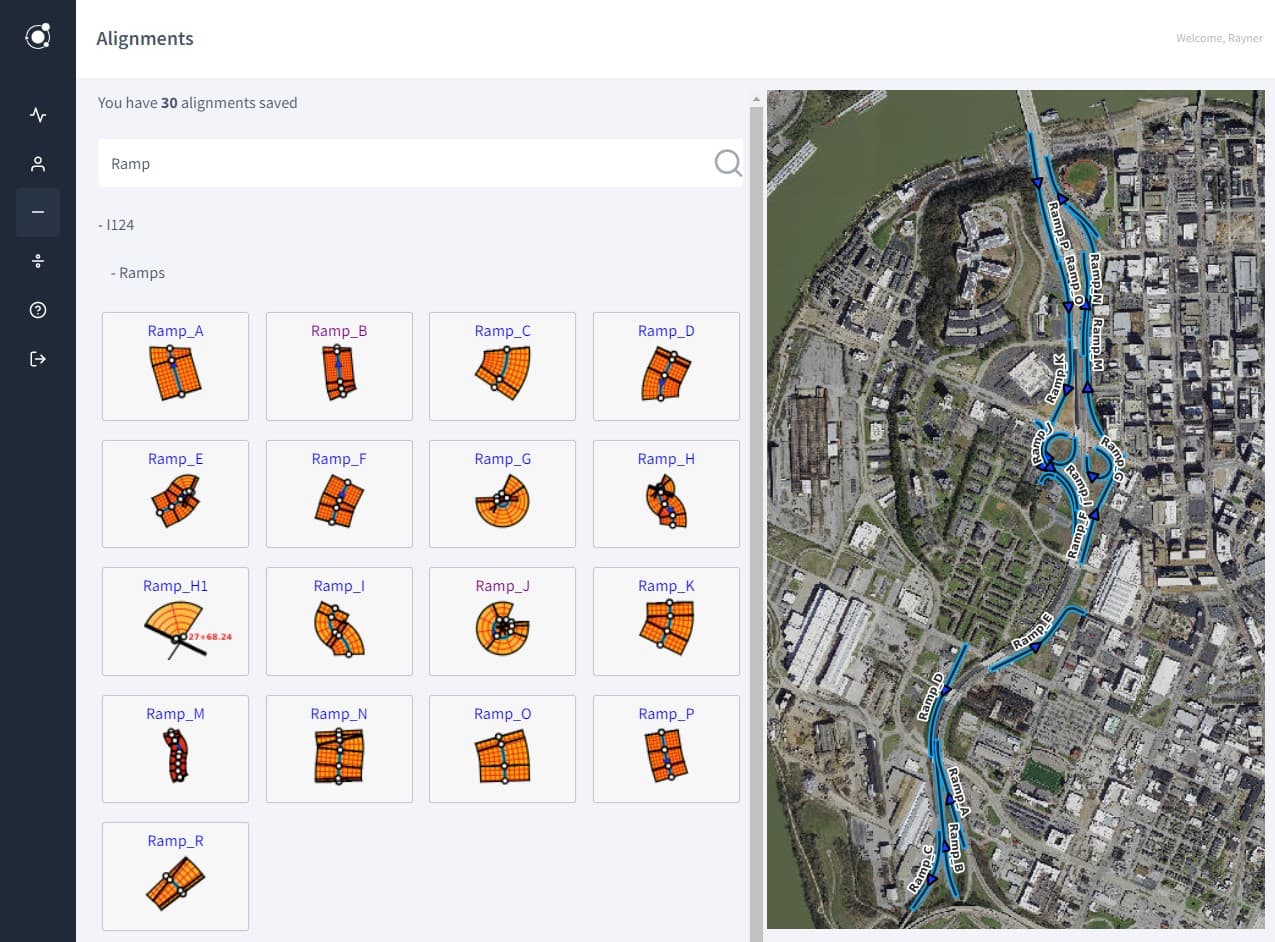
Automatically generate station and offset grids and overlay them on an interactive base map.
Import from LandXML
Easily batch import alignments from multiple LandXML files in one go
Save Points
Save your stations and offsets as points on a web map, show point coordinates.
View Alignment Segments
Get details for each line and circular segment that make up each alignment.
Interactive Web Map
Locate alignments, stations and offsets in the office or field using an interactive web map.
Responsive Web App
Work with the web app on wide desktop screens or mobile screens
Teams and Sharing
Add team members, share alignments and points with office and field workers.
Project Areas
Arrange alignments into project areas, switch between project areas.
Project Sets and CRS
Coming soon: Combine project areas into project sets, change the coordinate system.
Change Base Maps
Add your own XYZ tiled basemap or switch between basemaps for each project area.
Search Alignments and Points
Search through stations, offsets, alignments, segments, and point descriptions.
Show Alignment Details
Show radius, curvature, start and end measures, deflections, segment types, etc.
Convert Lists
Coming soon: Convert lists of stations and offsets to point coordinates and vice versa.
Access the REST API
Coming soon: Work with stations, offsets and alignments via a custom REST API.
Auto-fill PDF Files
Coming soon: Auto-fill PDF files with stations and offsets for inspections and reporting.
How It Works
Get going with a few simple steps
1Sign Up and Choose a Plan
2Import Some Alignments
3Click an Alignment Thumbnail
4Pan and Zoom the Web Map
5Click Inside the Alignment Grid
6Save the Point You Clicked
7Click To View Your Point
8Search All Alignments for Point
9See Point Along Other Alignment
Frequently Asked Questions
If you have further question, please contact us